Eclectric RecordsEclectric RecordsHTML builder tools Sample one-sheet See rates →
Eclectric Records · HTML builder tools · One-time purchase · Endless access in your Roster

Booking
Pitch-Deck Builder

Two pitches in one builder: a venue partnership deck to land the room, and a sponsorship deck to fund the show. Switch the pitch type, type the venue’s or sponsor’s name, and download a finished PDF.

2 pitch types11–12 slides eachPDF · HTML · PresentShown: NWL! Jaded Jams Showcase builder
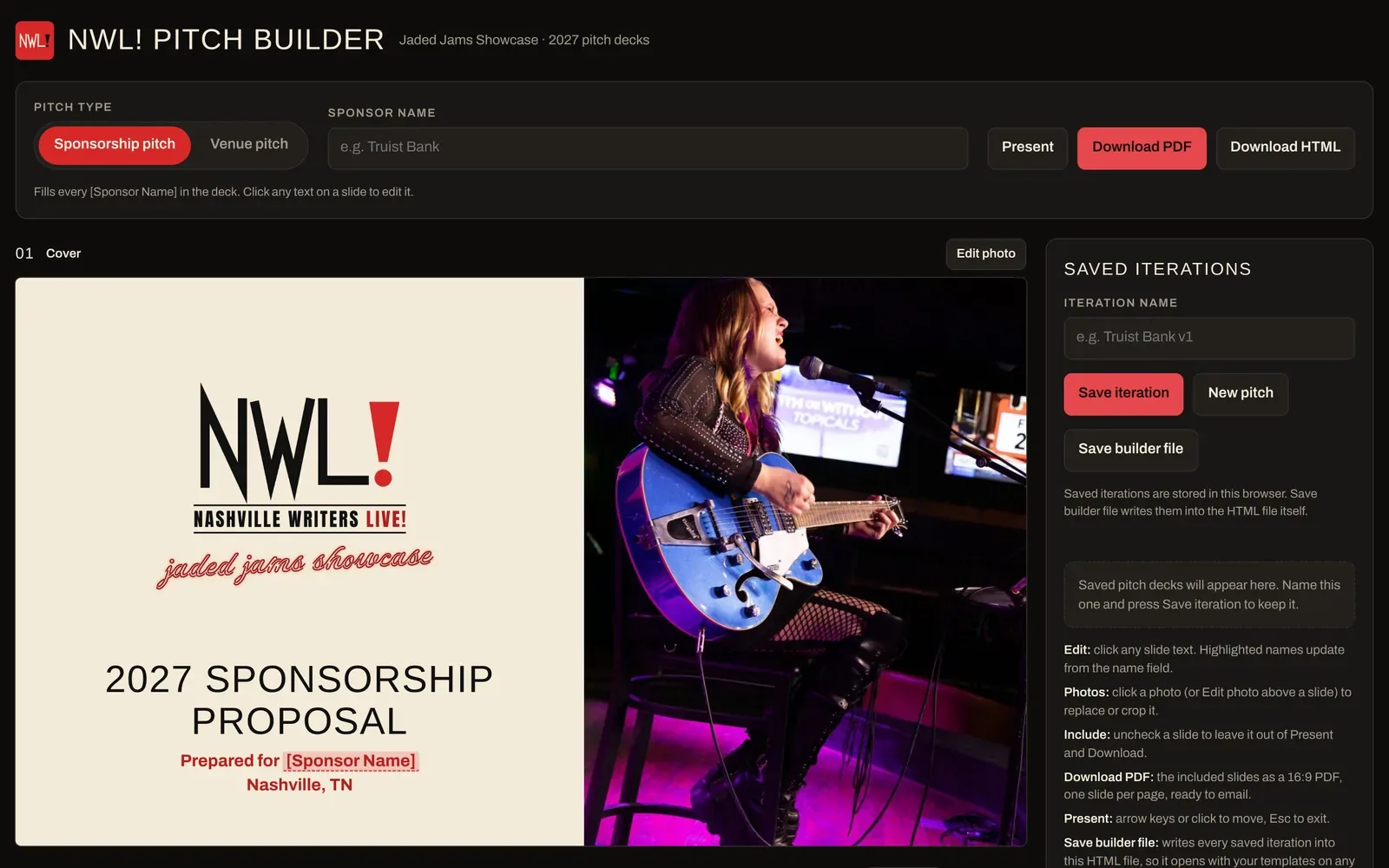
The booking pitch builder in Sponsorship pitch mode
Sponsorship pitch mode: [Sponsor Name] fills in from the name field.
01

Two pitch types, one switch

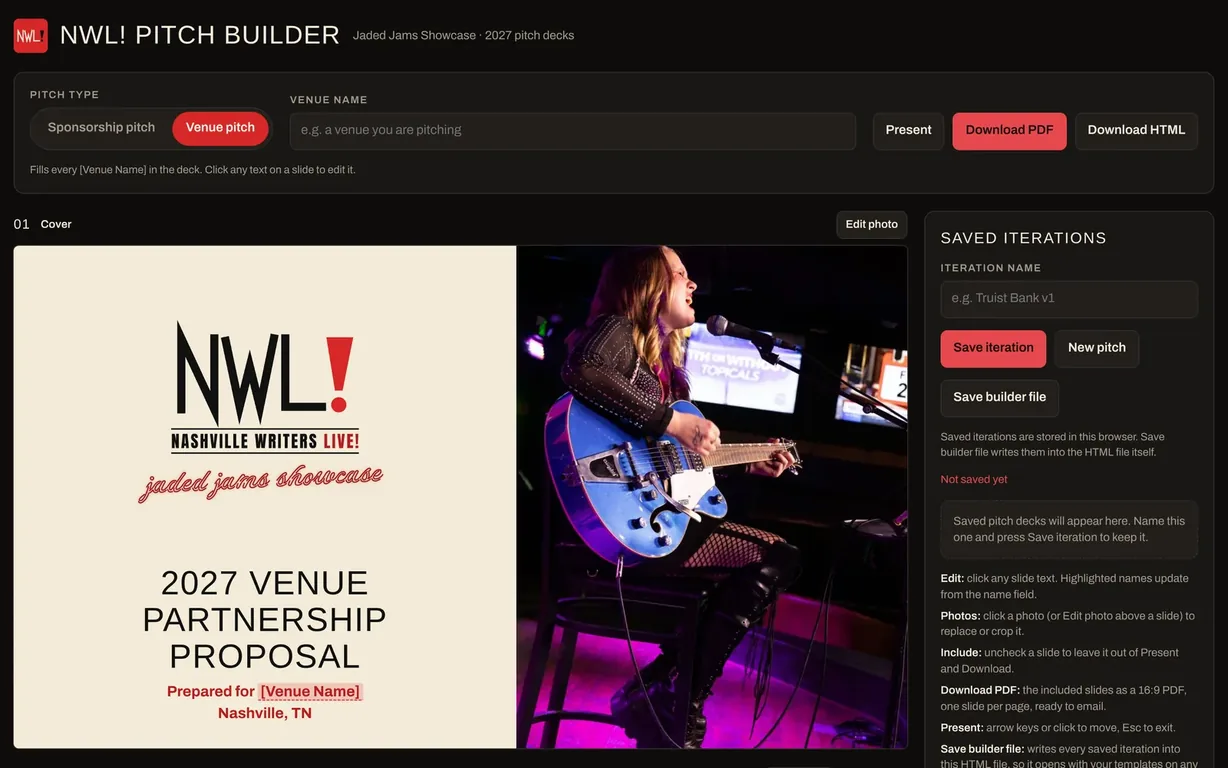
Choose Venue pitch or Sponsorship pitch at the top. The deck swaps to the right slides, the right cover and the right ask — and the name field changes to Venue name or Sponsor name.

  • Venue pitch: format, curation, audience and residency terms
  • Sponsorship pitch: results, growth plan and sponsor tiers
  • Shared story slides stay in step across both
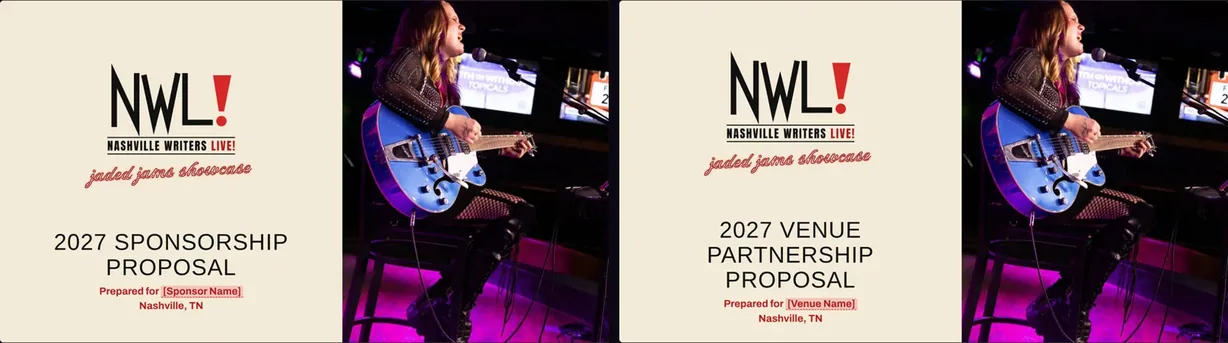
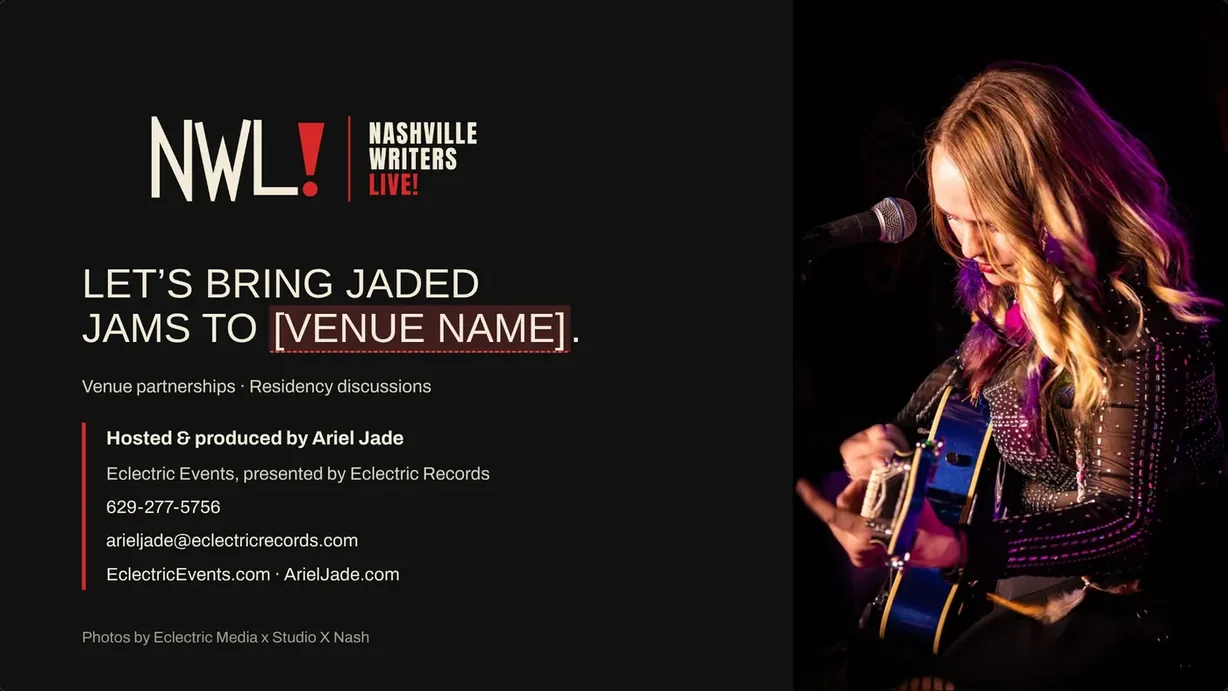
Sponsorship proposal cover and venue partnership proposal cover side by side
Sponsorship cover and venue cover, from the same builder.
02

Name it once, everywhere

Type the venue or sponsor and every highlighted name in the deck updates — the cover, the proposal, the closing call to action.

  • Highlighted names show exactly what fills in
  • Click any slide text to edit it
  • Click a photo to replace, reposition or crop
Venue proposal slide with the venue name highlighted
The proposal slide, ready for a venue’s name.
03

Your show, sold clearly

The slides make the case a booker or sponsor needs: what the show is, the track record, who curates and hosts it, who comes, and what you’re asking for.

  • Results and growth-plan slides
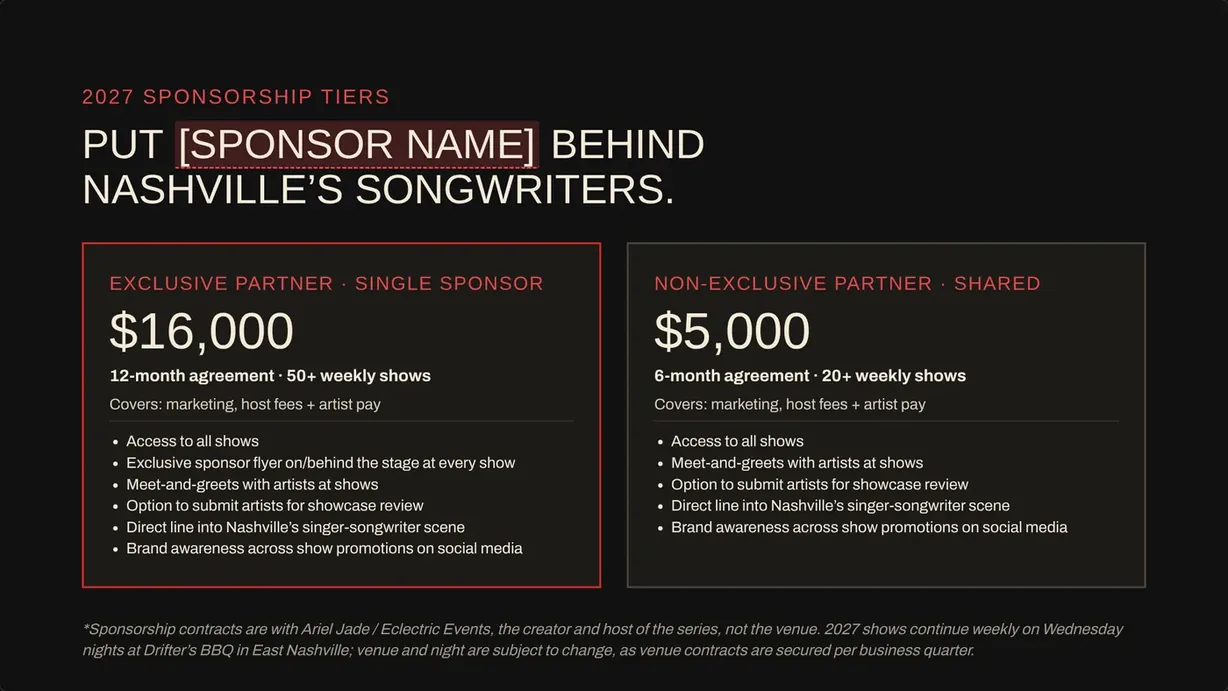
  • Sponsorship tiers and private-show options
  • Host & producer and contact slides
Sponsorship tiers slide
04

Present, send, save

Present full screen in the meeting or download a 16:9 PDF — one slide per page — ready to email. Save each pitch by name and keep every one inside the builder file.

  • Uncheck any slide to leave it out
  • Download PDF or a single-file HTML deck
  • Saved iterations: save, save as new, reopen
The builder in Venue pitch mode
Venue pitch mode.

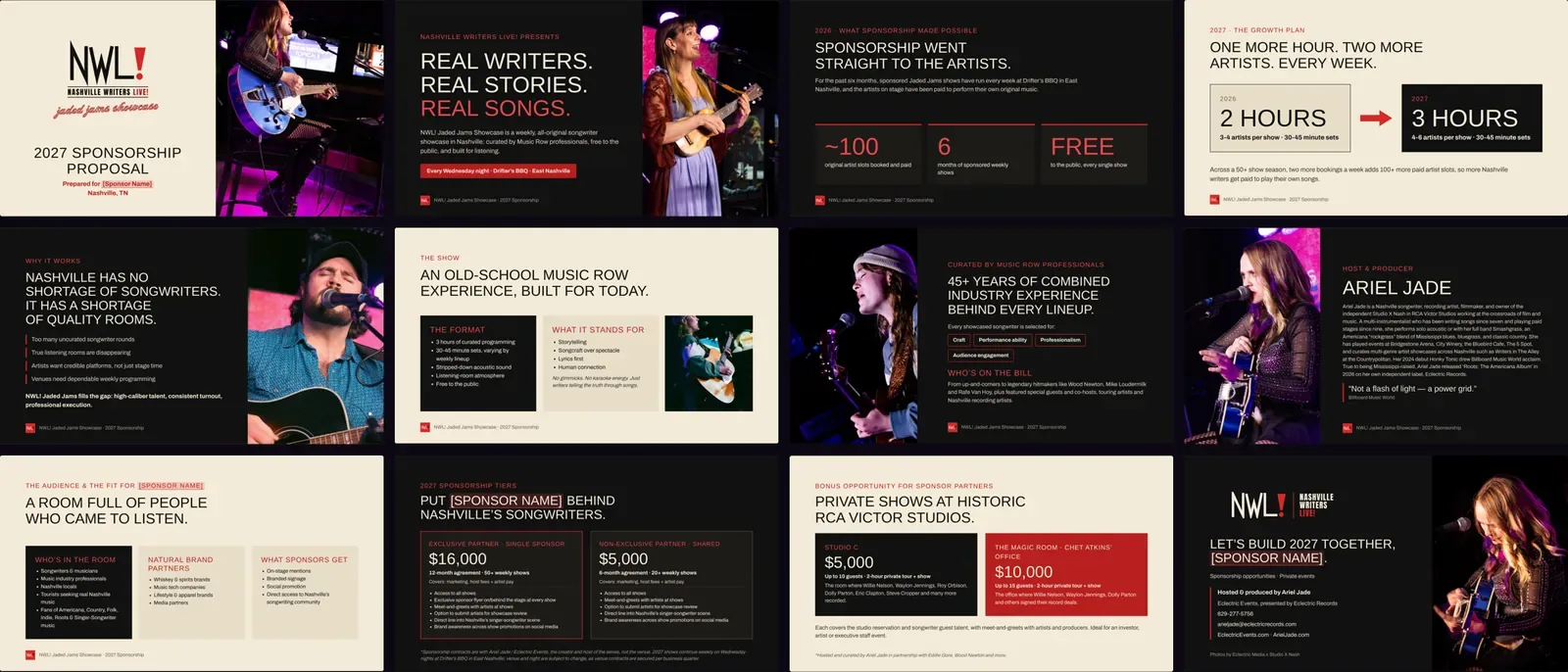
The sponsorship deck

All 12 slides as a sponsor receives them.

All 12 slides of the sponsorship deck

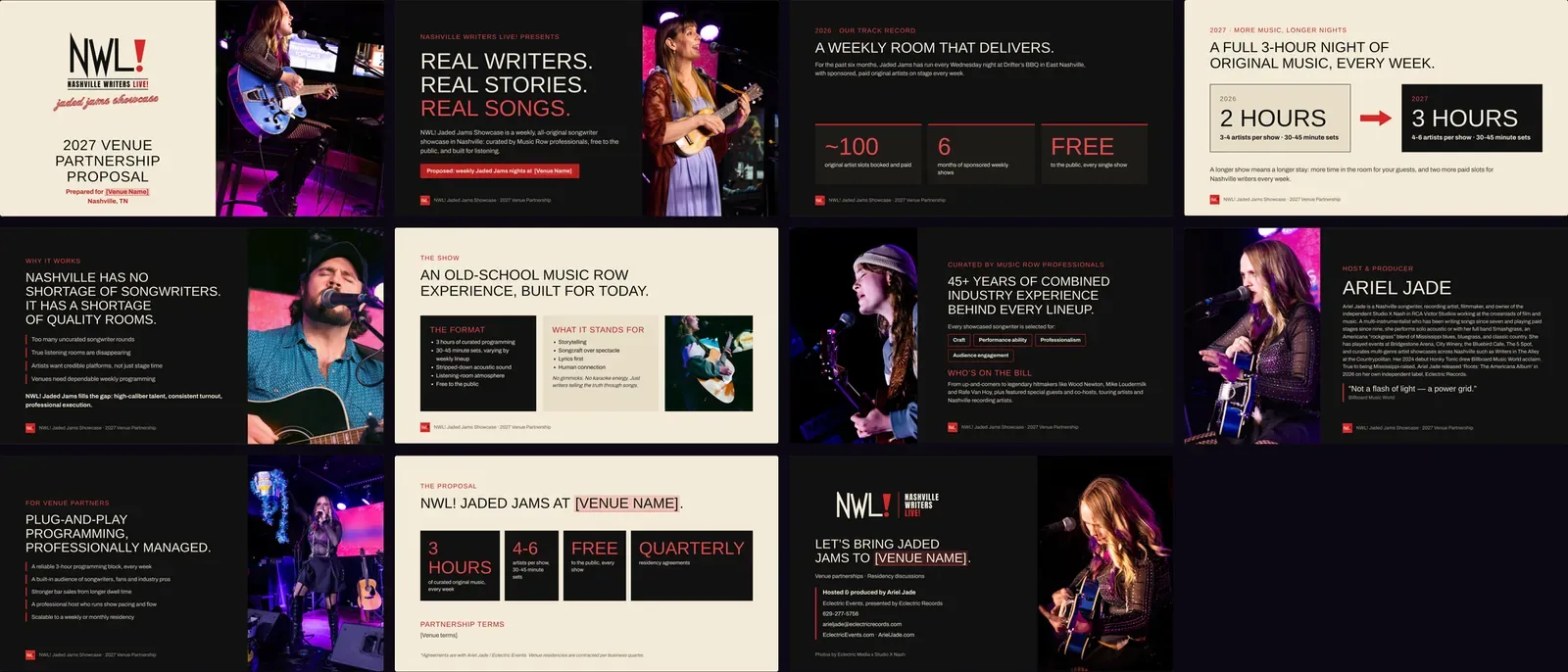
The venue deck

All 11 slides as a venue receives them.

All 11 slides of the venue partnership deck
The long-term value

One builder for every room and every sponsor.

Booking a show or a series means pitching the same story over and over — to venues for the room and to sponsors for the money. The builder keeps the story finished and lets you aim it.

Built once

Your show and your track record
  • Branded layout, logo, fonts and colors
  • The show, the format and who curates it
  • Results, growth plan and audience
  • Host, producer and contact slides
  • Sponsor tiers and venue terms

Each new pitch

Who you’re pitching
  • Choose Venue pitch or Sponsorship pitch
  • Type the venue or sponsor name
  • Edit the terms or numbers for this deal
  • Save it, then present or download the PDF
Season after season.

Update the results slide once a season and every future pitch carries the new numbers. Saved pitches give you a record of every venue and sponsor you’ve approached.

What you get

Base Builder ToolThe booking pitch builder with both pitch types and their slide layouts.
Custom Artist BrandedBuilt in your show’s or artist’s branding, with your story, results and photos on the slides.
One-time purchaseEndless access in your Roster account: open it any time, fill it in, then present or download it. No subscription.
Bundle itPair it with the Artist Pitch-Deck Builder in the Pitch-Deck Builders Bundle.
The booking pitch builder
Available now · Invitation only

Pitch the room and the sponsor from one file.

Choose the Base Builder Tool or a Custom Artist Branded build, or bundle both pitch-deck builders.